
Today we’re launching desktop automation on Asteroid. Our customers can now run AI computer use agents on cloud-hosted Windows and Linux machines to automate back-office workflows that were previously only possible with humans, brittle RPA scripts, or expensive offshore teams.
Why Desktop Automation Still Depends on GUIs
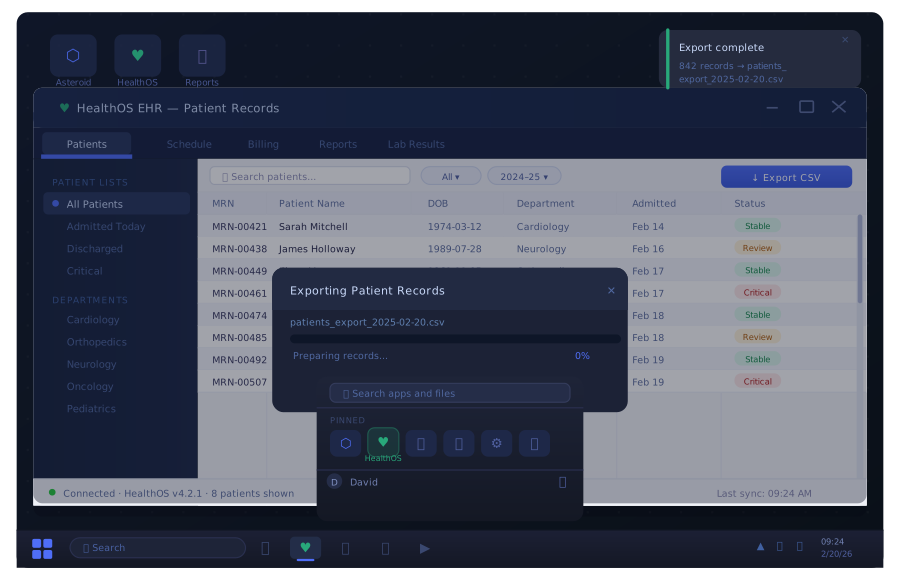
The work done in the critical industries that power our economies doesn’t happen on websites you or I can access via Google. It happens on private networks, on Windows machines running legacy enterprise software. Ancient GUIs built for humans to upload PDFs, look up patient details, and fill in forms act as the glue that sticks one system to another, allowing data to flow from source to destination.
The global economy runs on this stack, and it costs an estimated 500 billion person-hours per year to operate.
Today, the options for automating it are RPA companies charging $20,000 per automation for brittle scripts that need consultants to maintain, or offshore teams 10,000 miles away who work unreliably and can’t scale. Either way, your company is looking at delayed outcomes of low quality for patients, customers, and users.
A reasonable question: why automate the GUI at all? Why not bypass these systems entirely and pipe data directly between them?
Because enterprise software encodes decades of accumulated edge cases and business logic. As Atlassian co-founder Mike Cannon-Brookes recently put it, the idea of replacing these systems wholesale is “terrifying”. The business rules embedded in that Visual Basic form were learned through years of real-world failures. They’re not documented anywhere. They live in the code. For mission-critical work like updating patient records or filling insurance claims, the downside of getting it wrong far outweighs any savings from rebuilding.
For the foreseeable future, we must work with these systems, not around them.
How Computer Use Agents Automate Desktop Software
At Asteroid, the big unlock in 2026 has come in the form of Anthropic’s Claude Opus 4.5 class of vision models. These AI models can now reliably navigate complicated GUIs on Windows and Linux machines, with or without accessibility bindings. Desktop automation at scale is no longer a theory. It is reliable, and our customers are already proving it.
Asteroid agents have their own desktop environments. They don’t have virtual browser tabs or thin wrappers over existing APIs. Each agent has its own full computer that it can see and interact with.
The AI model takes screenshots of the desktop and generates mouse and keyboard actions. Asteroid translates those into code that executes on the VM. No DOM selectors, no brittle XPaths, no breaking when a CSS class changes. The agent sees what a human sees and acts accordingly. The loop is simple: screenshot, think, act, screenshot again.
But the model is only half the problem. Giving someone 50 autonomous agents creates a new challenge: 50 agents asking questions, producing output that needs review, and failing in ways that need attention. When Atlassian shipped AI agents in Jira, users who got a thousand status updates complained about noise, whilst users who weren’t kept updated didn’t trust the agent. The right level of visibility is an unsolved design problem across the industry.
You need a platform to move this work to the cloud, monitor fleets of agents, and give operators visibility without drowning them in noise. One operator can launch and monitor dozens of these computer use agents simultaneously from a single dashboard, or software systems can invoke them without ever disturbing a human.
That’s what Asteroid has built for desktop and browser agents, and you can use it today.
Custom Snapshots: Boot into the Right State
The most painful part of automating desktop workflows is often setup. Log in, navigate to the right screen, load the right account, expand the right panel. With Asteroid, you skip all of that.
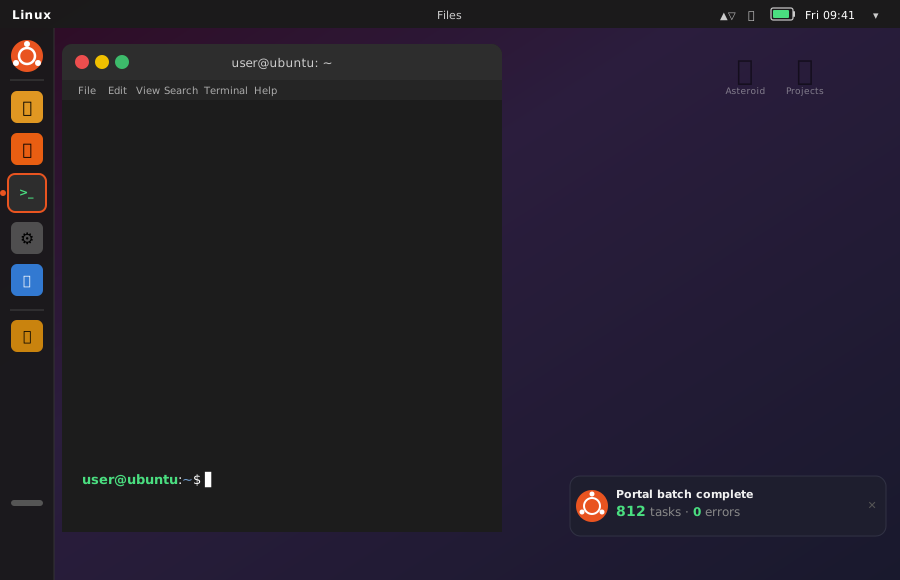
Each agent workflow references a pre-built snapshot — a frozen computer with everything already configured. The program is open. The user is signed in. The right page is loaded. When the agent boots, it’s immediately in context and ready to work.
Snapshots can be built and managed by Asteroid, meaning no extra overhead for your team.
Healthcare Workflow Automation in Practice
Healthcare is where desktop automation with AI agents is making the biggest immediate impact. Legacy EHR portals, payer systems, and credentialing platforms are the definition of “built for humans to click through.” They actively resist API access and break traditional RPA scripts with frequent UI updates.
Asteroid’s computer use agents are already automating healthcare workflows for companies processing thousands of transactions daily:
- Prior authorization automation — navigating payer portals to submit, check status, and follow up on prior auth requests, eliminating the manual bottleneck that delays patient care
- Patient intake and data entry — reading referral documents and entering structured data into EHR systems, replacing hours of manual transcription
- Healthcare claims automation — processing insurance claims across multiple portal interfaces that each have their own workflows and validation rules
- Clinical workflow automation — extracting and transferring data between clinical trial management systems, lab platforms, and provider portals
These workflows run on systems with no APIs, behind private networks, on Windows machines that only speak point-and-click. They are exactly the kind of work that computer use agents were built for.
HIPAA-Compliant Desktop Agents: Trust and Security
Asteroid’s desktop and browser agents are HIPAA and SOC II compliant and already powering some of the companies you depend on every day.
When agents need passwords, we keep your encrypted credentials safe by giving the AI only placeholder tokens in its instructions. At execution time, credential replacement swaps the placeholder for the real value. The agent never has access to the actual secret.
Every execution is watchable in real-time via livestream in the Asteroid platform. You can see exactly what the agent is doing as it does it. When the execution finishes, the full screen recording is available. Every click, every navigation, and every form fill is captured for audit trails, debugging, or compliance review.
Why AI Agents Are Replacing RPA for Healthcare and Enterprise
The shift from robotic process automation to AI-powered computer use agents is happening now, and it’s not hard to see why.
RPA scripts are brittle. They depend on exact pixel coordinates, DOM selectors, and CSS class names. When the UI changes — and it always changes — the script breaks and needs a consultant to fix it.
AI browser agents and desktop agents adapt. A button moved? The agent finds it. A dialog popped up? The agent handles it. The workflow is the same one a human would follow, which means it works everywhere a human can work.
Offshore teams are expensive and don’t scale. They require management overhead, work across time zones, and introduce compliance risk — especially in healthcare where HIPAA violations carry real penalties.
Computer use agents work 24/7 and scale indefinitely. Run as many as you need today, scale up or down tomorrow. No lock-in, just agents on hand to automate your vital processes as and when needed.
We’re running these agents today for data entry across legacy systems, form processing in government portals, insurance claim workflows, prior authorization automation, and revenue cycle operations.